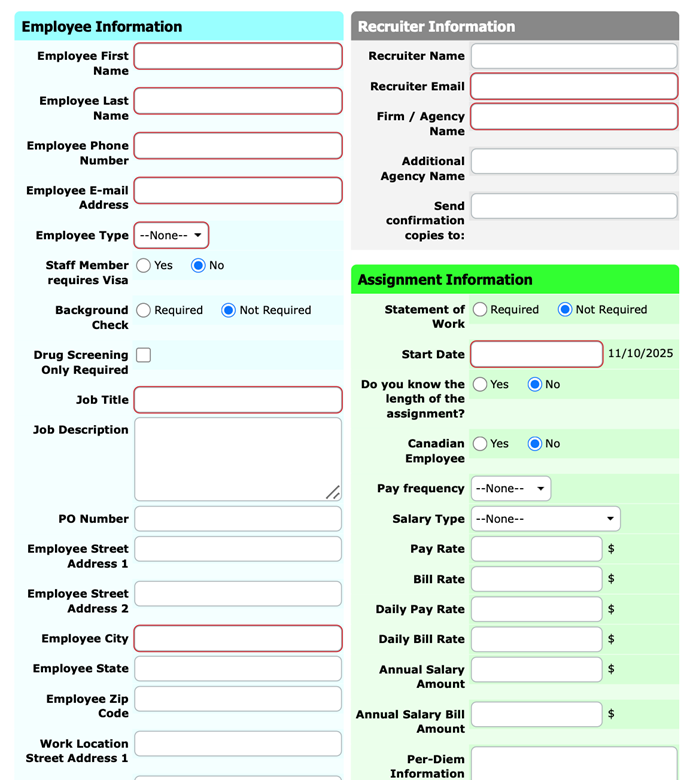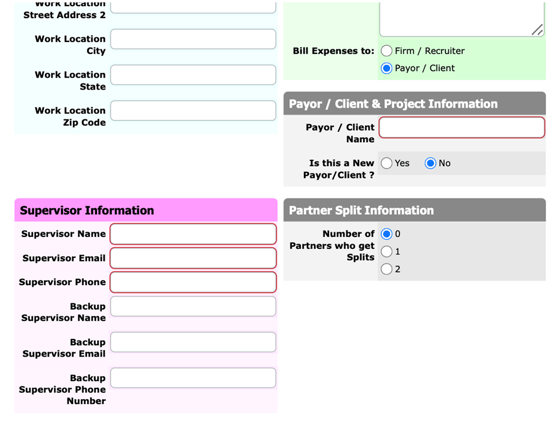
Welcome to TeamDesk! This platform is used to record and manage new staff onboarding information. Please follow the steps below to access the system and create a new employee record.
1. You will receive an email from Teamdesk with a link to enter the database
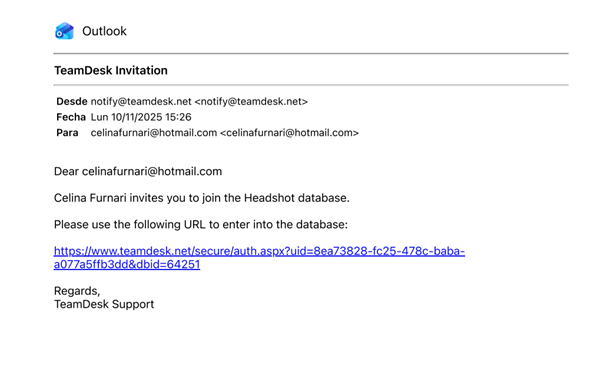
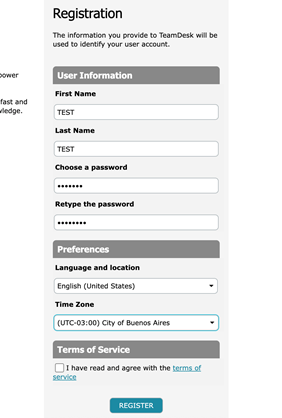
2. Once you click on the link, create your user and click on accept the terms of services
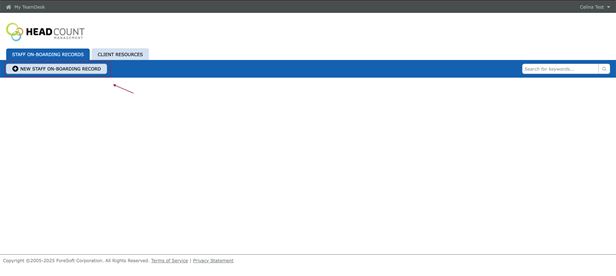
3. Once logged in, select “New Staff On-boarding Record” to add a new employee.
4. Fill in the form
Section 1: Employee Information
Fill in the following:
- Employee First & Last Name
- Phone Number
- E-mail Address
- Employee Type: choose from the dropdown (e.g., Contractor, Full-time, etc.).
- Requires Visa: select Yes or No.
- Background Check: choose Required or Not Required.
- Drug Screening: select Only Required if applicable.
- Job Title and Job Description
- PO Number (if applicable)
- Home Address: include street, city, state, and zip code.
Section 2: Work Location
Provide:
- Work Location Street Address 1 & 2
- City, State, and Zip Code
Section 3: Recruiter Information
Enter:
- Recruiter Name E-mail
- Firm / Agency Name
- Additional Agency Name (if applicable)
- Send confirmation copies to: (optional additional recipients)
Section 4: Assignment Information
Complete all relevant fields:
- Statement of Work: select Required or Not Required.
- Start Date: enter the official start date.
- Length of Assignment: indicate Yes or No if known.
- Canadian Employee: select Yes or No.
- Pay Frequency: choose from dropdown (e.g., Weekly, Biweekly, Monthly).
- Salary Type: select Hourly, Daily, or Annual.
- Pay and Bill Rates: enter applicable amounts:
- Pay Rate ($)
- Bill Rate ($)
- Daily Pay Rate / Daily Bill Rate ($)
- Annual Salary / Annual Salary Bill Amount ($)
- Per-Diem Information: include details if applicable.
Section 5: Payor / Client & Project Information
Provide:
- Bill Expenses To: choose Firm / Recruiter or Payor / Client.
- Payor / Client Name
- Is this a New Payor/Client? select Yes or No.
Section 6: Supervisor Information
- Supervisor Name, E-mail, and Phone
- Backup Supervisor Name, E-mail, and Phone