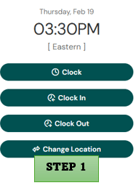
Q: How do I change locations when clocking in?
A:
Step 1: Log in to UKG- My Time – Select change location
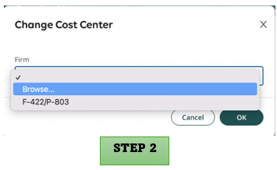
Step 2: Select Browse to find the location where you want to clock in
Step 3: Select the correct work location – Save
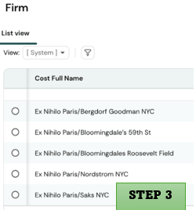
Please note: Your device’s location must be turned on to clock in or out.
Need a visual?: Headcount UKG Multiple Location Clock In - Video generated with Synthesia
Q: When are timesheets due?
A: Weekly Employees: Timesheets are due by end of day every Saturday.
Biweekly Employees: Timesheets only need to be submitted during your active payroll week, also by end of day Saturday.
Important Notice: Timesheets must be submitted on time to ensure your pay is processed without delay.
Q: How do I submit my timesheet for approval?
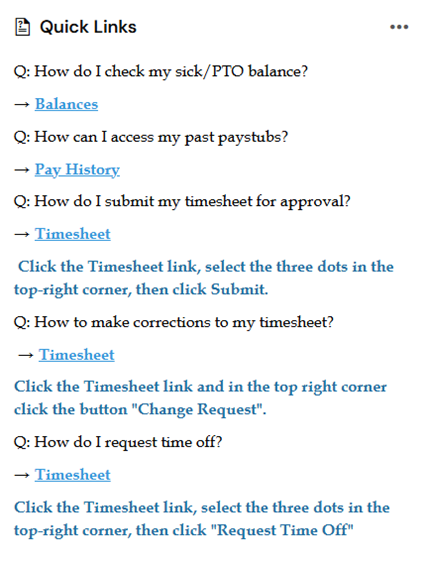
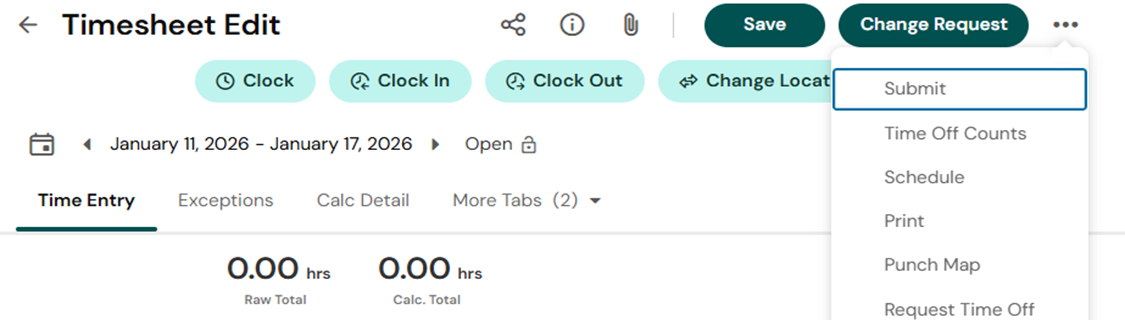
A: Navigate to My Time → Timesheet → Current Timesheet. Select the three dots in the top‑right corner and click Submit.
Need a visual? We’ve included a short video walkthrough as well. https://share.vidyard.com/watch/dMwf7GCS3hjHX8sVQhZ1W7
Q: What if I need to make corrections to my timesheet?
A: Navigate to My Time → Timesheet → Current Timesheet and click the “Change Request” button in the top right corner.
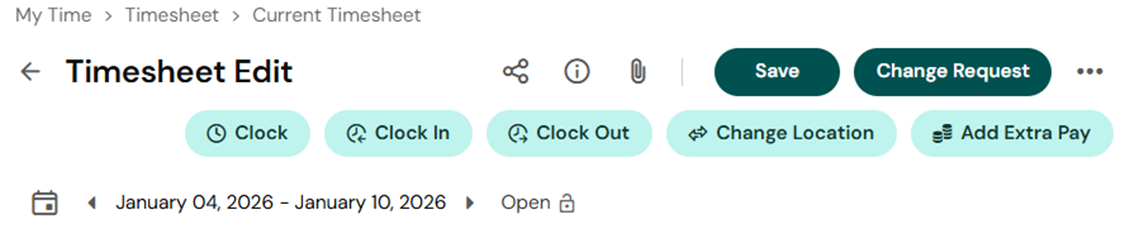
*If you missed a punch in/out, reach out to your supervisor directly as Headcount cannot make these changes*
Q: How do I request time off?
A: Navigate to My Time → Timesheet → Current Timesheet and click the 3 dots in the top right corner then select “Request Time Off”
Q: How can I access my past paystubs?
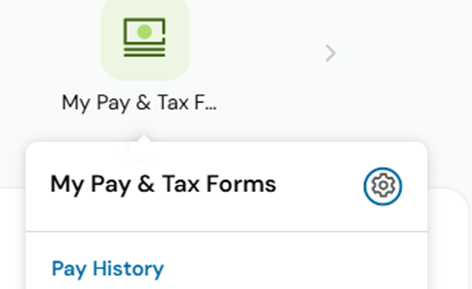
A: On your main page navigate to “My Pay & Tax Forms” - Pay History
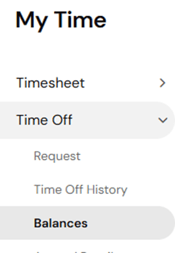
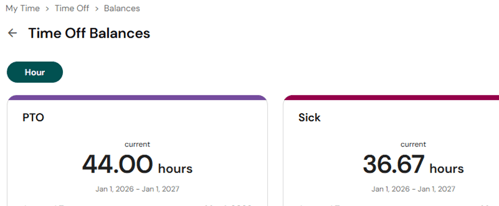
Q: How do I check my sick/PTO balance?
A:To view your current sick and PTO totals,Navigate to Main Menu → My Time → Time Off → Balances
Q: Who do I contact if I need additional assistance?
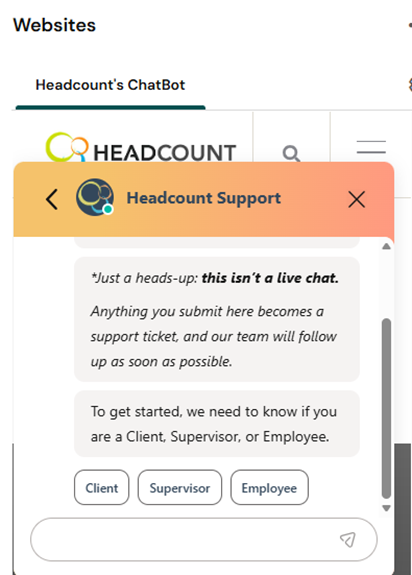
A: After reviewing the FAQ, if you still need additional assistance, please submit a ticket through www.Headcountmgmt.com/help. This is the fastest and most efficient way to reach our team.
Quick Links and Chatbot Now Available on Your Dashboard!
Not sure where to find something? Just head to quick links – it’s there to help you quickly fine what you need!
Need additional assistance? Submit a ticket through our chatbot!